Ford Pro Release Notes
What’s New with Ford Pro Software? January 2025 Edition
The Ford ProTM software experience just got better.
Our teams have been hard at work enhancing Ford Pro software products with updates designed to help empower fleet managers with data-driven insight. Whether tracking vehicle health, completing vehicle checklists, monitoring electric vehicle charging sessions, or diving deep into data analysis, these updates will help organizations maximize fleet productivity and get the most out of their Ford Pro software. And for those exploring the transition to electric vehicles, new insights on E-Switch Assist can help fleet managers determine their battery range needs.
Check out the January 2025 edition of Ford Pro software updates below for Ford Pro Telematics,309 Ford Pro Telematics Drive App,992 and Ford Pro Fleet Management Software291 subscribers.
What’s New
Ford ProTM Telematics
NEW Plug-In Device Updates
New Plug-In Device Updates Fleet managers of organizations that use PIDs with their Ford Pro Telematics subscriptions will now be able to see seatbelt alerts.
Seatbelt Alerts – Seatbelt violation alerts for both drivers and passengers are now available in Ford Pro Telematics on the Reports, Trip History, and Seatbelt Violations pages, right alongside Ford modem vehicles. Available Now
NEW API Endpoints
The latest updates to Ford Pro Telematics are designed to provide customers with convenient access to their data. APIs enable fleet managers to retrieve vehicle stats and health data, merge multiple data sets, manage drivers, and more. New endpoints include:
1. Vehicle Historical Status – Customers can access historical location and vehicle status values for one or more vehicles using this endpoint. Signals include, but aren’t limited to, location, heading, odometer, ignition status, and fuel level, as well as key electric vehicle signals (e.g., amount of battery used, preconditioning status, etc.).
2. Vehicle Metadata – This gives customers the list of fleet-enrolled vehicles alongside metadata information, including vehicle name, make, model, and year. This information helps connect different parts of the Ford Pro ecosystem, giving Telematics customers a more streamlined, efficient experience.
3. Vehicle Health – This endpoint returns the current health status of a vehicle, including open vehicle health alerts and diagnostic trouble codes like tire pressure, with details on the symptom, severity, and category, as well as any suggested actions.
4. Driver to Vehicle Association – Using this endpoint, customers can assign (and unassign) drivers to vehicles and retrieve active associations.
By integrating these capabilities into their own applications, fleet managers can create unique views and insights.
Ford ProTM Telematics Drive App
Enhanced Feature
Vehicle Details Experience: We’ve redesigned the Vehicle Details page and made it the new default landing experience for drivers. From here, both drivers and fleet managers can complete vehicle checklists and report and resolve issues (previously for drivers only).
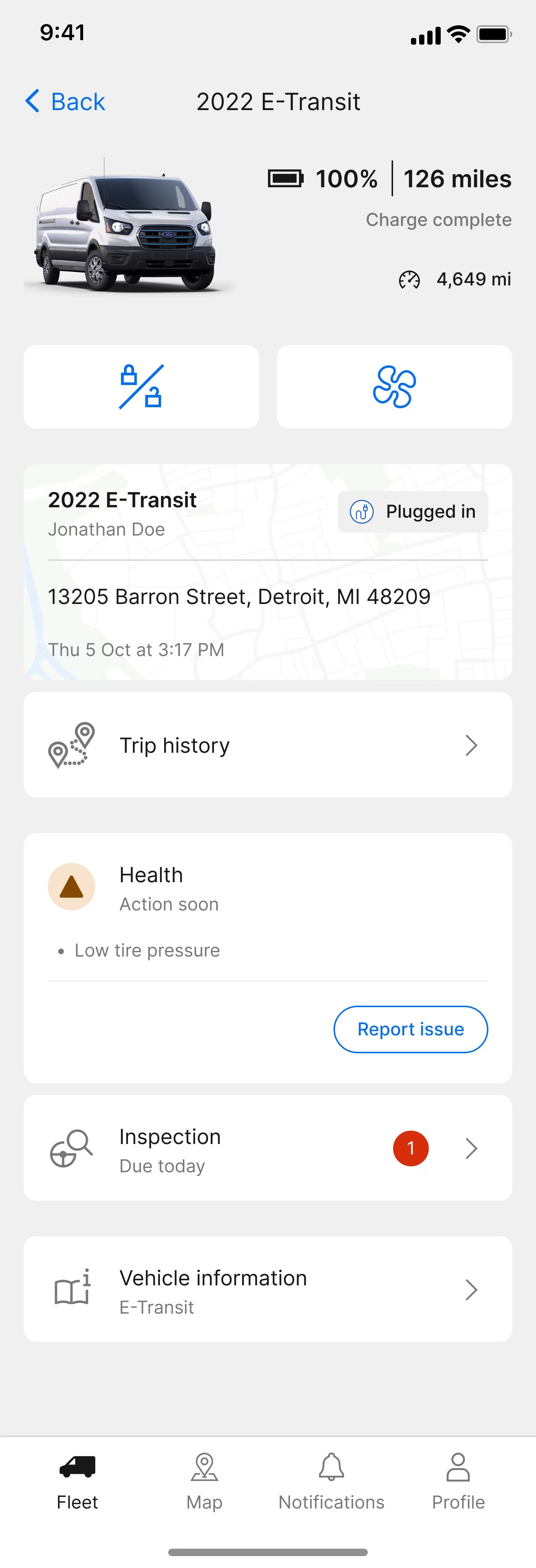
*Based on full charge. 2022 E-Transit Cargo Van Low Roof model demonstrated range reflecting current capability based on testing consistent with US EPA MCT drive cycle methodology (https://fueleconomy.gov/feg/pdfs/EPA test procedure for EVs-PHEVs-11-14-2017.pdf) at ALVW (Adjusted Loaded Vehicle Weight). Medium Roof and High Roof models projected range reflecting capability based on CAE analytical adjustments from tested vehicle and adjusted for roof height. Actual range varies with conditions such as external environment, vehicle use, upfits and alterations, vehicle maintenance, high-voltage battery age and state of health.
New Feature
Driver Disassociation: Drivers assigned to vehicles can now “unassign” themselves from that vehicle. Previously, drivers could only swap their vehicle assignment by selecting another vehicle in the list. This meant the only way drivers could become “unassigned” is by asking their fleet manager to unassign them on the Ford Pro Telematics Dashboard.
New Feature
Driver Privacy: Fleet admins can now enable “Driver Privacy mode” from fleet settings in the Ford Pro Telematics Dashboard. When enabled, all users within the fleet will see the privacy option in the app and be able to turn on/off the current location of their vehicle. This feature is for drivers who use fleet vehicles for personal use and do not want to have all trips tracked by their fleet manager.
Ford ProTM Fleet Management Software
New Feature
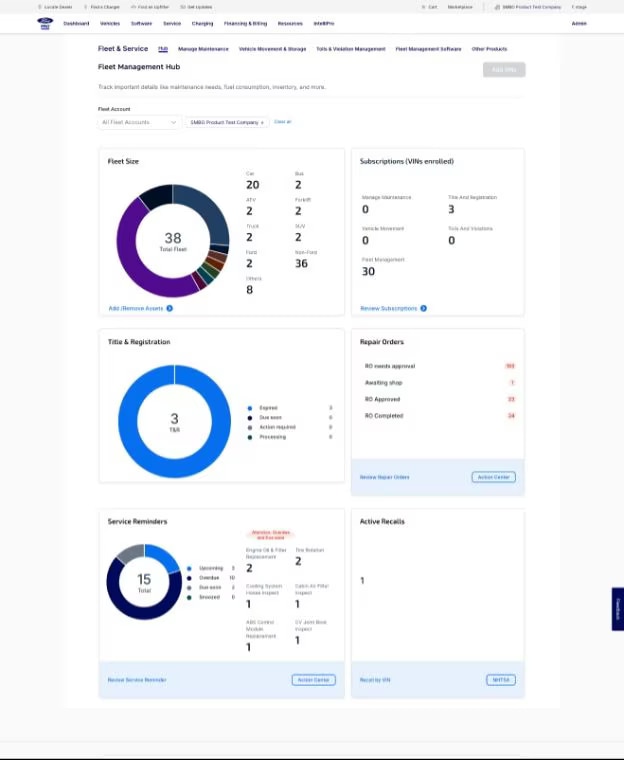
Customers subscribed to Fleet Management Software services will now have a single-entry point to their applications. This entry point provides customers with the ability to view their entire fleet details, which software products they are subscribed to, and what critical actions need to be taken. Customers subscribed to fleet management products will have the ability to navigate to other Ford Pro Intelligence products via a top-line navigation.
Ford ProTM E-Switch Assist
NEW Vehicle Insight
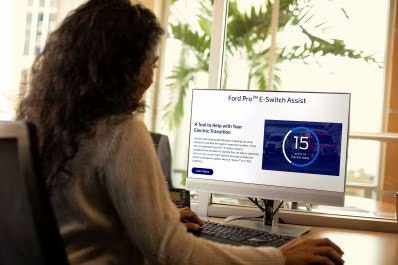
Fleet managers can now use the E-Switch Assist tool to assess whether the E-Transit with Enhanced Range is the right fit for their fleet.
E-Switch Assist analyzes an organization’s vehicle data to evaluate whether its current gas-powered vehicles are suitable to transition to electric vehicles. It takes in data to account for distance driven, cargo load, vehicle efficiency, terrain, driver-specific behavior, external climate, and cabin heating load. The tool also estimates the required number of daily charges for both individual vehicles and fleets of all sizes.
With the continuous refinement of Ford ProTM software, we aim to enhance the user experience and enable fleet managers to leverage the power of data at their utmost convenience.
Disclosure(s)
- 1)
Available on vehicles with embedded modem or equipped with approved plug-in device (PID). May require modem activation. Ford Pro™ Telematics and Ford Pro™ Data Services require a purchased subscription. Terms and conditions apply. Telematics service and features, and access to vehicle data, depend on subscription and compatible cellular network availability. Evolving technology/cellular networks/vehicle capability may limit functionality and prevent operation of connected features.
- 2)
Ford Pro™ Telematics Drive app, compatible with select smartphone platforms, is available via a download. Message and data rates may apply. Connected Services and features depend on compatible cellular network availability. Evolving technology/cellular networks may limit the functionality and use of app.
- 3)
Some software packages may require a fee and/or subscription. Terms and conditions apply. See dealer for details.