Ford Pro Release Notes
What’s New with Ford Pro Software? March 2025 Edition
Ford ProTM software arms fleet managers with the data they need across their fleet of connected vehicles to make more informed decisions — a benefit reflected in the rising adoption rate. Since 2023, the number of Ford Pro connected commercial vehicles grew by more than 40%, with 5.2 million in operation today globally.
And as part of our promise to continue to meet the evolving needs of modern fleets, we’re actively expanding our data-driven solutions. This year at NTEA Work Truck Week, we revealed multiple solutions set to be available later this year for Ford Pro Telematics309, 129 and E-Telematics309, 129 subscribers, including:
- Fleet Start Inhibit: To help combat theft and unauthorized vehicle use, fleet managers
can use Fleet Start Inhibit to remotely disable a vehicle’s engine.
- Top Speed Limiter: This feature will enable fleet managers to remotely set a maximum speed limit on their fleet vehicles to help avoid speeding violations. It can help improve driver behavior by controlling speed limit adherence for millions of fleet vehicles on the road. It will be available in Ford Pro Telematics software later this year on model-year 2022 and newer F-150® Lightning® trucks, and model-year 2023 and newer Super Duty®
trucks.
- Acceleration Limiter: This new feature gives fleet managers remote access to control vehicle acceleration, which can help reduce wear and tear. It is also coming later this year in Ford Pro Telematics software for F-150 Lightning trucks.
In addition to these upcoming new features, we are committed to iterative software development, providing monthly updates to deliver a more intuitive, efficient user experience and enhance our products’ performance and capabilities.
Check out the March 2025 edition of Ford Pro software updates below, including updates
for Ford Pro Telematics customers with dashcams and Map enhancements for Ford Pro Telematics Drive app992 users.
What’s New
New Page
Available Now
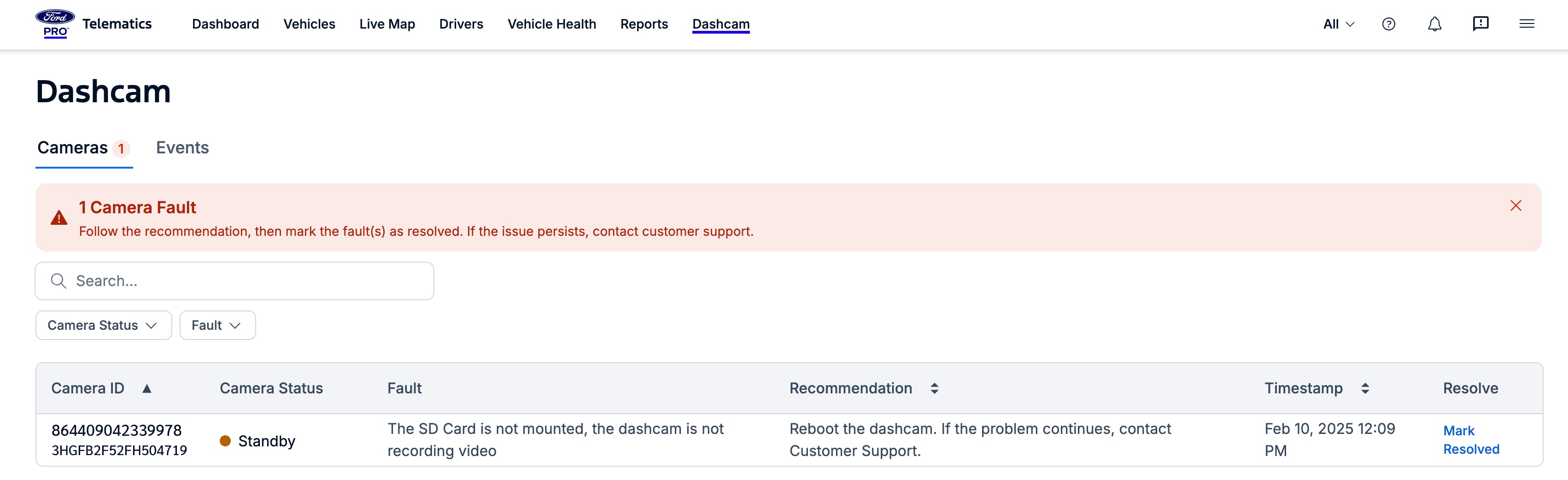
Dashcam Events:309, 129 Dashcam events are now summarized on a single page on the Ford Pro Telematics dashboard, allowing fleet managers to quickly view events for all cameras in a group. With this update, navigating to this information can be done in two clicks, saving fleet managers significant time and energy. Customers must be enrolled in basic or premium dashcams to view events on this page.
To access the new page, simply click the Dashcam tab in the top row
of the Ford Pro Telematics website, then click on the Events tab.
By toggling to the Events tab, fleet managers who have associated dashcams with specific vehicles can view the events in the group. Events are sorted alphabetically by event type; the vehicle, driver, timestamp, location, and dashcam video are also provided (in that order, reading from left to right).
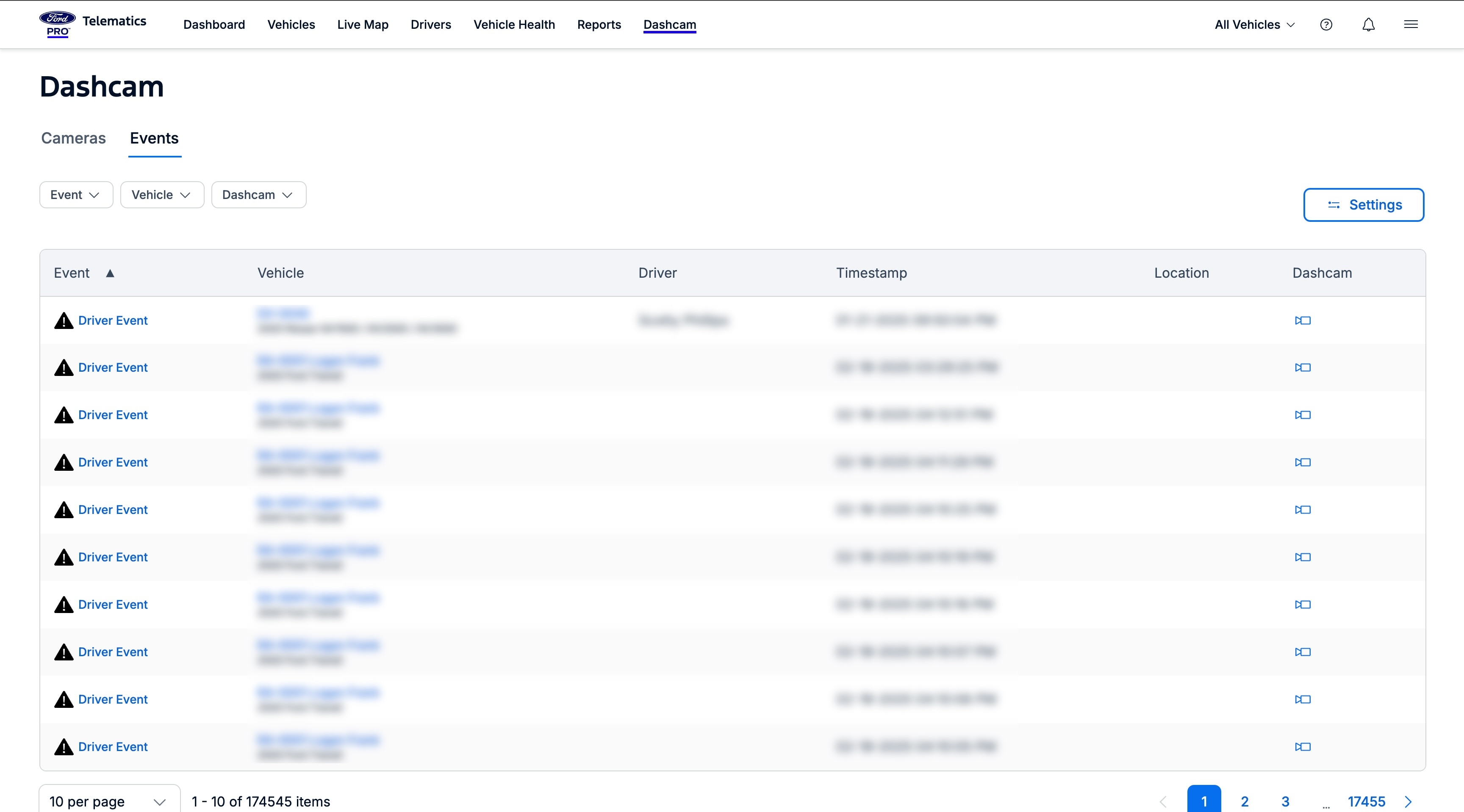
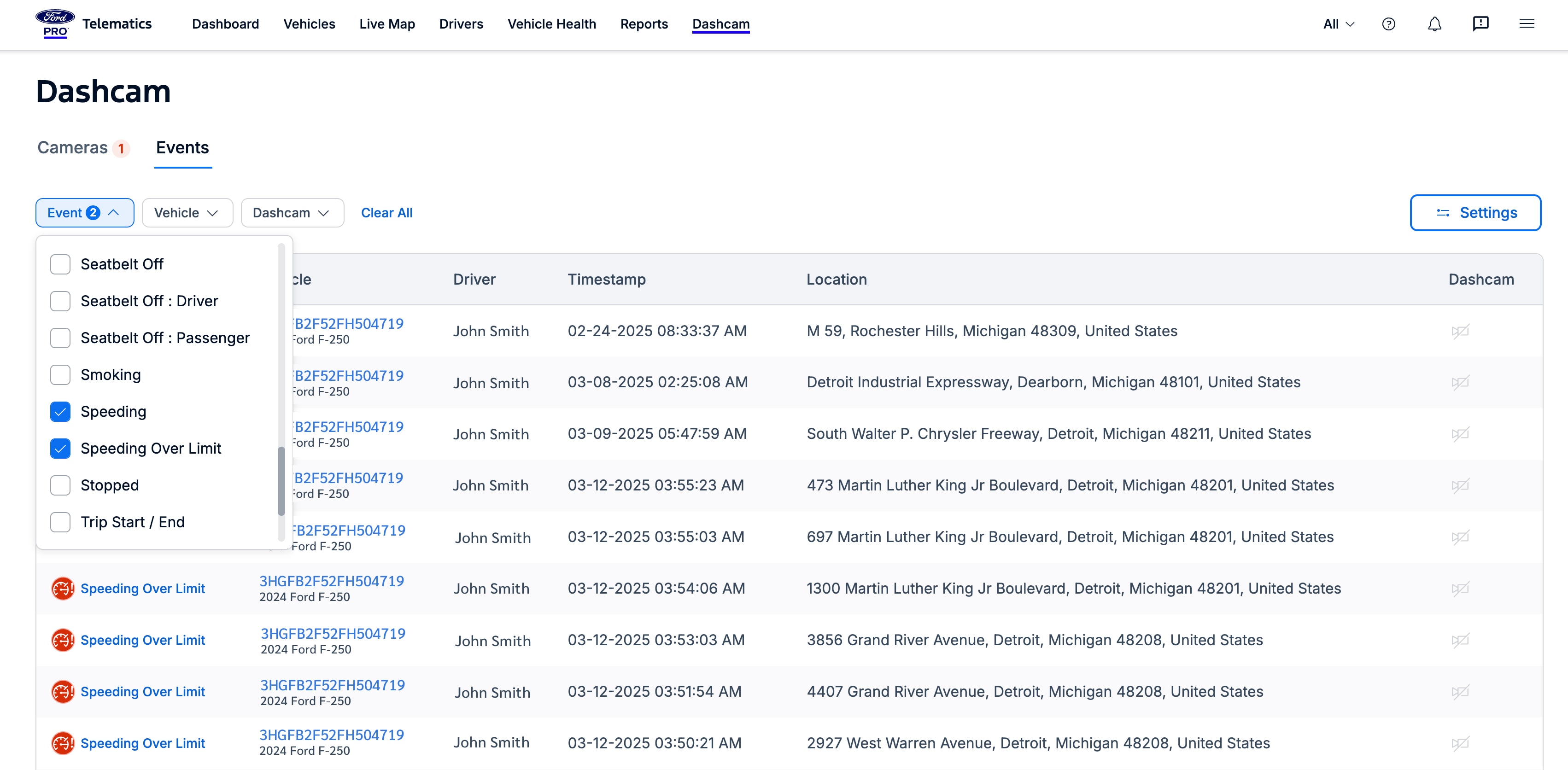
Clicking an event displays the relevant trip history; clicking the vehicle name shows the vehicle overview. Fleet managers can also click on the dashcam video to view it. Finally, filtering allows fleet managers to find specific event types, vehicles, or dashcam recordings.
Ford ProTM Telematics Drive App992
New Features
Available Now
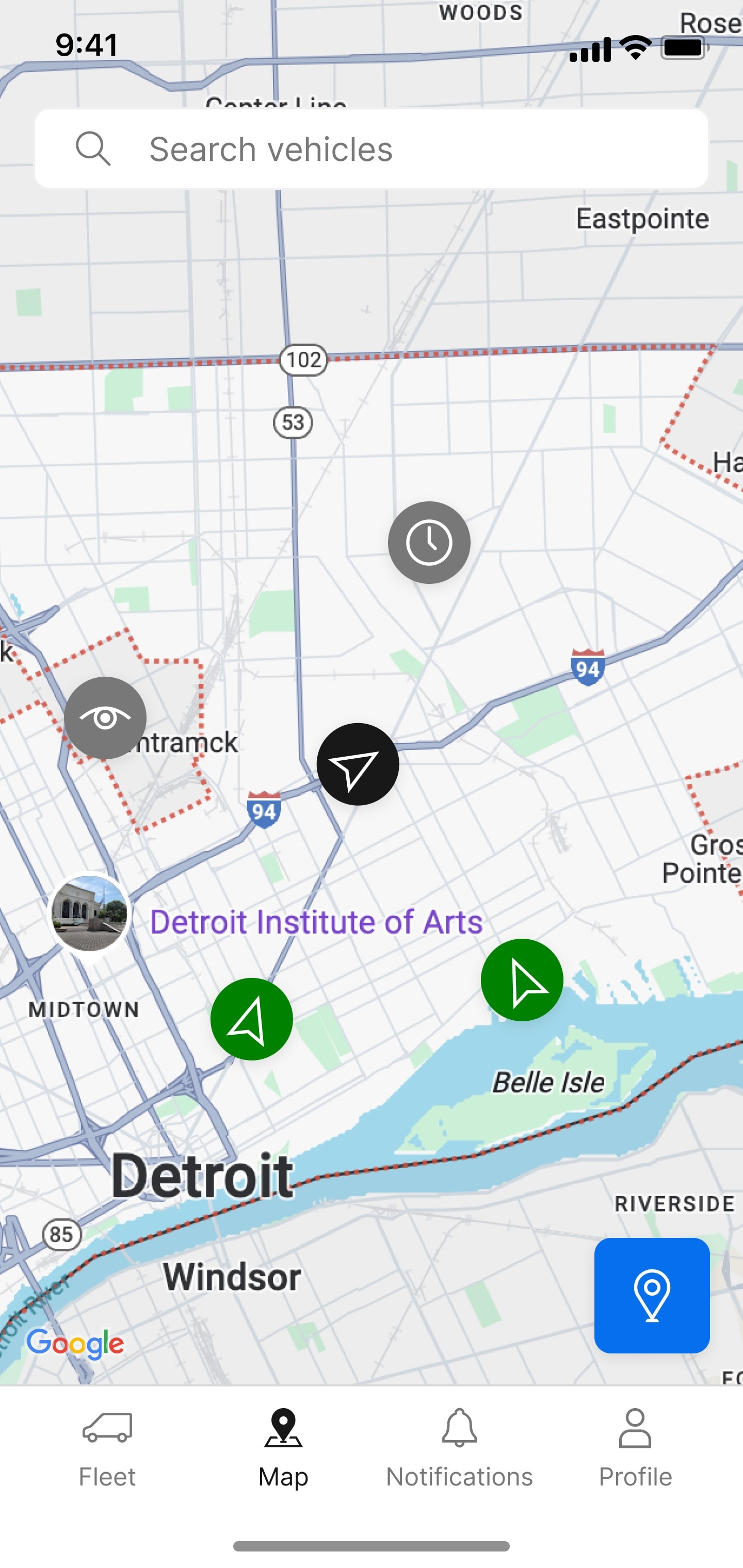
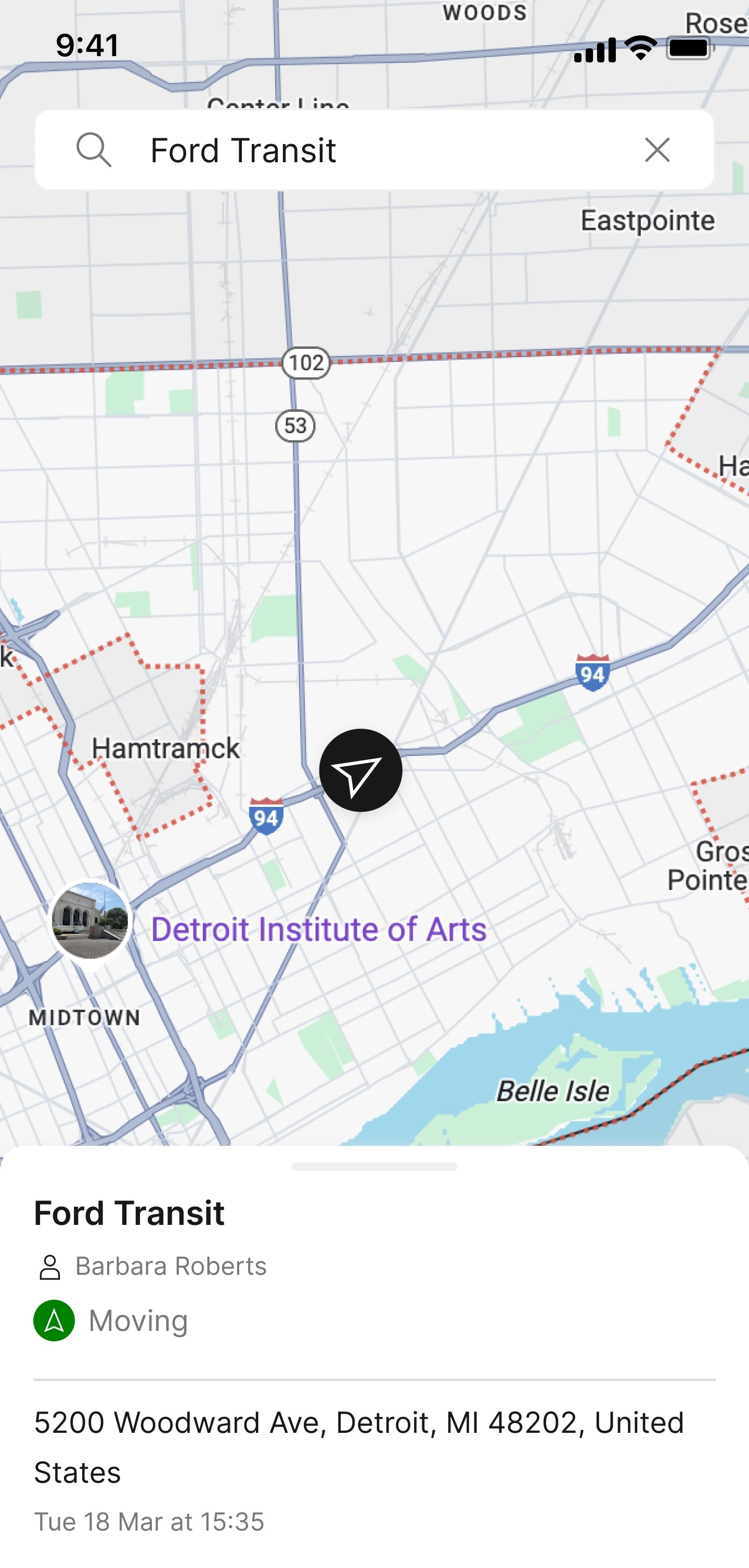
The Map screen within the Ford Pro Telematics Drive app has been enhanced in the following ways:
- Google Maps Integration: The integration of Google Maps offers improved map accuracy, an intuitive interface, and detailed geographic data through a map experience many fleet drivers and managers are already accustomed to. Available via mobile app only.
- Updated Map Pins and Moving Status Icons: The map pins and status icons have been refreshed, making it easier than ever for fleet managers to identify and track the status of a vehicle’s location at a glance.
- Direction of Travel: Fleet managers can now effortlessly view the direction of travel for moving vehicles, allowing them to instantly see where a vehicle is heading, thereby saving valuable time.
New Features
Available Now (requires manual activation upon request)
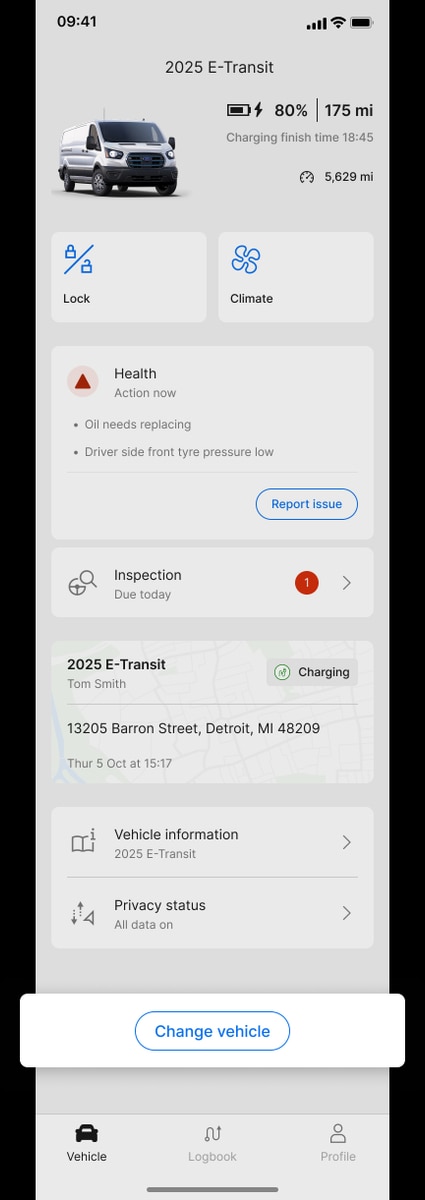
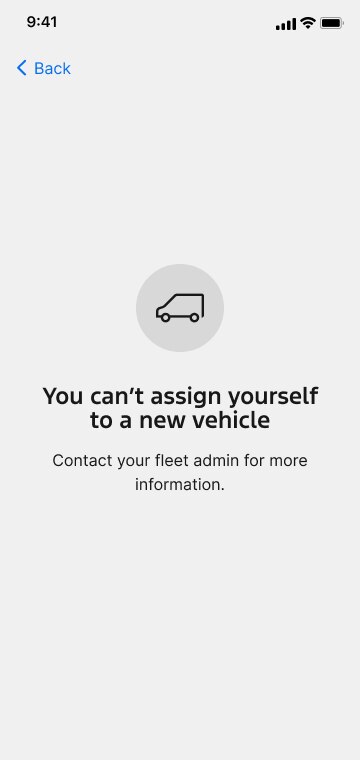
Block Driver Association: Fleet managers can prevent drivers from self-assigning to vehicles outside their assigned vehicle with this new privacy feature. Designed specifically for fleets with 1:1 driver-vehicle relationships to enhance data accuracy and protect driver privacy, this feature can be manually activated upon request through the customer’s Ford ProTM account manager.
These March updates are just the latest step in our enduring commitment to providing fleet managers with the software solutions they need to succeed. We’re excited to continue to help fleet managers drive efficiency and innovation in their operations. Stay tuned for more updates in the coming months!
Disclosure(s)
- 1)
Available on vehicles with embedded modem or equipped with approved plug-in device (PID). May require modem activation. Ford Pro™ Telematics and Ford Pro™ Data Services require a purchased subscription. Terms and conditions apply. Telematics service and features, and access to vehicle data, depend on subscription and compatible cellular network availability. Evolving technology/cellular networks/vehicle capability may limit functionality and prevent operation of connected features.
- 2)
Eligible 2027 MY Ford vehicles receive a complimentary 6-month trial period and eligible 2024, 2025 and 2026 MY Ford vehicles receive a complimentary one-year trial of Ford Pro™ E-Telematics services that begins on the new vehicle warranty start date. Requires modem activation. Terms and conditions apply. Telematics service and features depend on compatible cellular network availability. Evolving technology/cellular networks/vehicle capability may limit functionality and prevent operation of connected features. Annual service contract is required for E-Telematics service after trial. Call 1-833-811-3673 or go to FordPro.com to activate E-Telematics service.
- 3)
Ford Pro™ Telematics Drive app, compatible with select smartphone platforms, is available via a download. Message and data rates may apply. Connected Services and features depend on compatible cellular network availability. Evolving technology/cellular networks may limit the functionality and use of app.