Ford ProTM Release Notes
What’s New with Ford ProTM Software? October 2025 Edition
We’re rolling out a wave of software enhancements designed to simplify and improve fleet management. From inspection records access and bulk geofence imports, to extended dashcam video history, these updates are designed to streamline reporting, improve data accuracy, and give fleet managers greater visibility, efficiency, and confidence to keep their business moving forward.
Developed in direct response to customer feedback, these features reflect our commitment to continuous improvement and our focus on delivering tools that help fleets operate at their best. Check out the list below to see what’s new this month.
What’s New
The following new features and enhancements are available with a Ford ProTM Telematics Software309 subscription.
Inspection History: Access Past Inspection Records With Ease
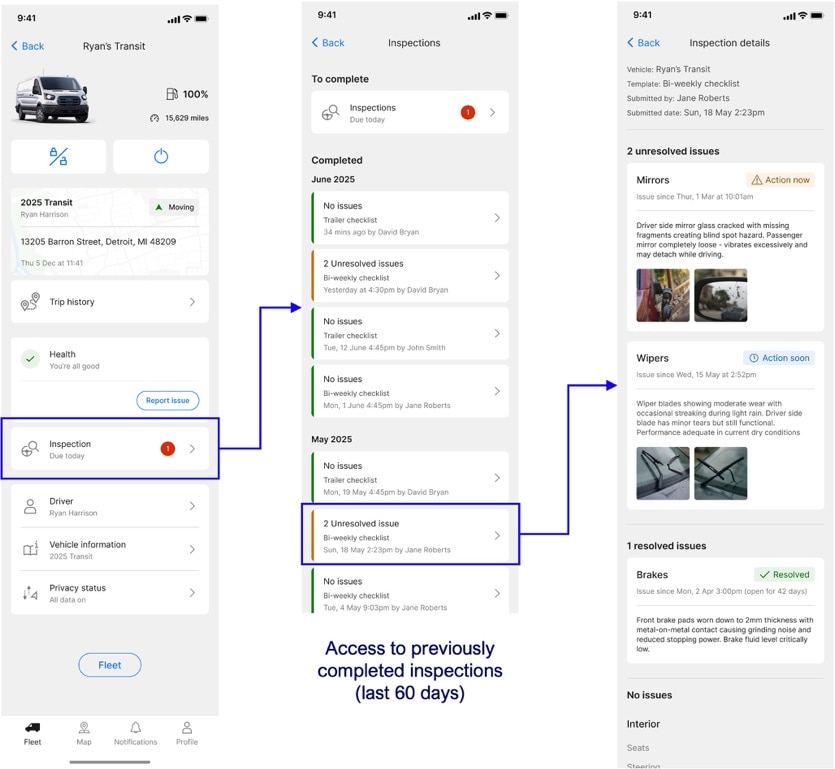
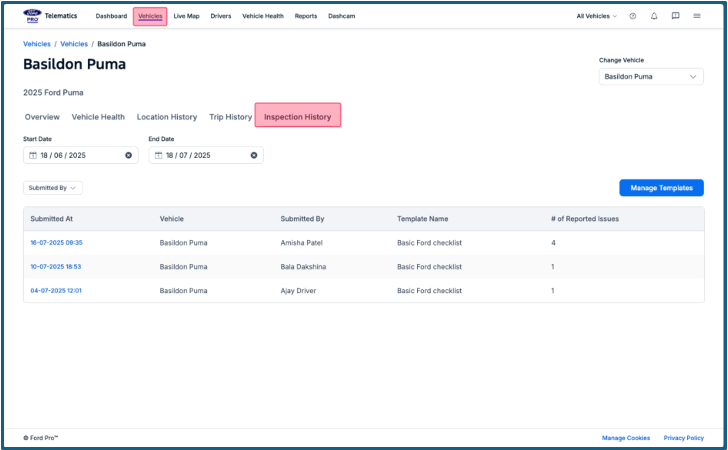
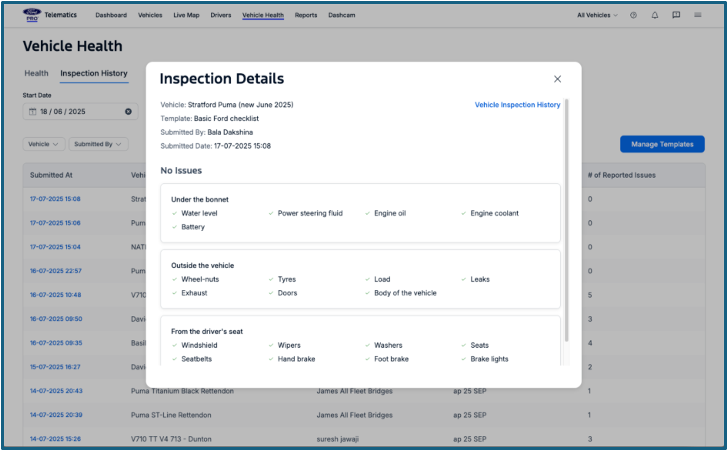
Fleet Managers need to have full visibility into their fleet's condition. We’re excited to share that the new Vehicle Inspection History feature is now available in Ford Pro Telematics309 Software and the Ford Pro Telematics Drive App992.
Previously, it was challenging to verify and audit the inspection data submitted by drivers. This new feature directly addresses this gap. With Vehicle Inspection History, fleet managers now have audit-ready records at their fingertips, faster visibility into potential issues to keep vehicles on the road longer, and far less reliance on manual, paper-based record-keeping.
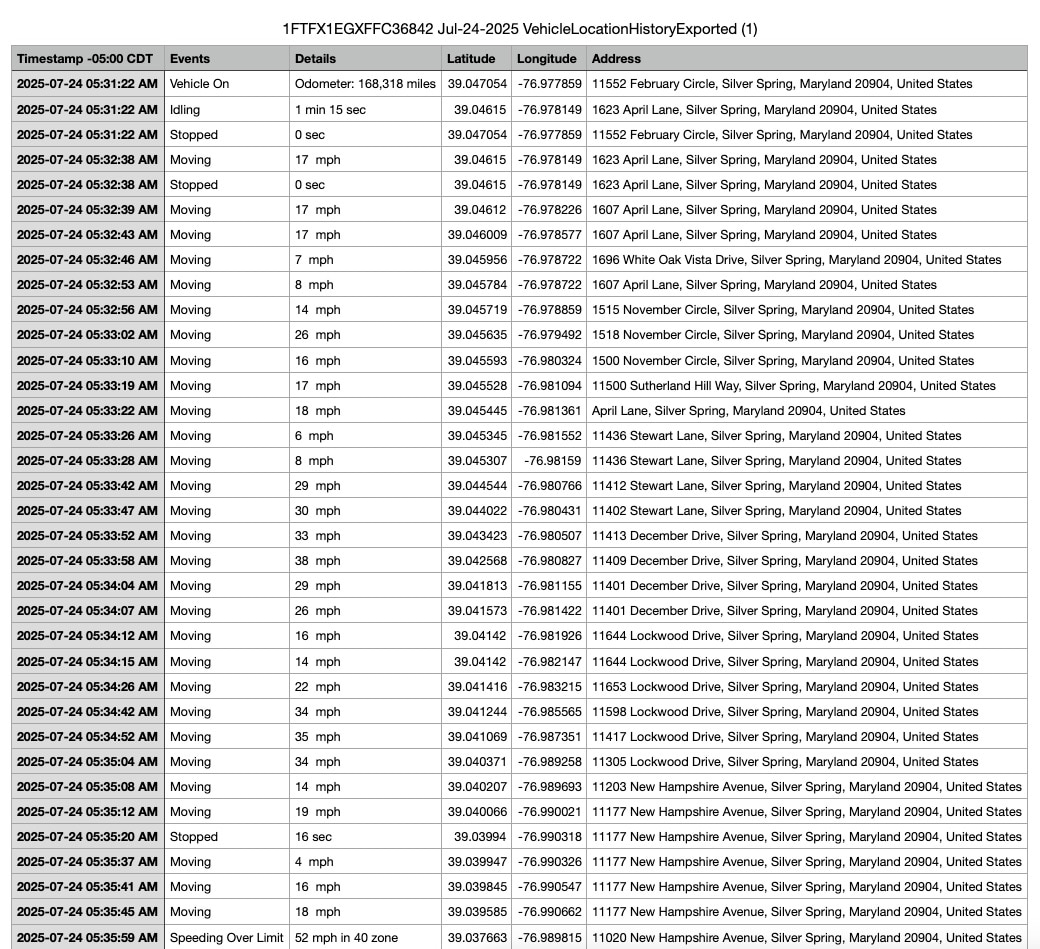
Reporting: Physical Address in Location History
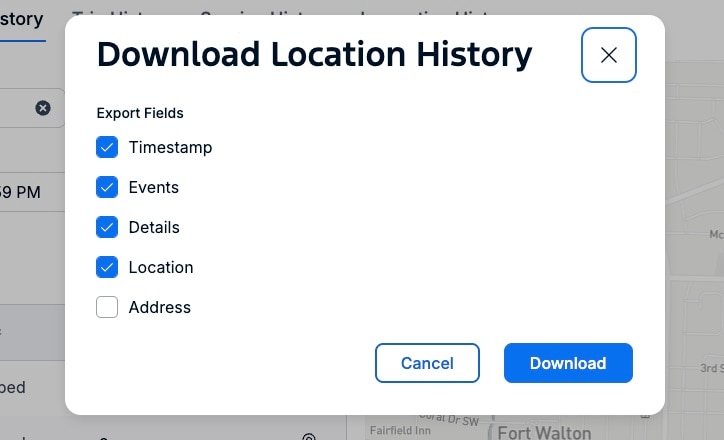
We’ve enhanced reporting capabilities in Ford Pro Telematics Software with the new Physical Address in Location History feature. This update introduces the option to include the fleet vehicle’s exact physical address directly within location history downloads – helping streamline reporting processes and improve data accuracy. For fleet managers, this new feature simplifies data analysis and enhances existing location-based reports.
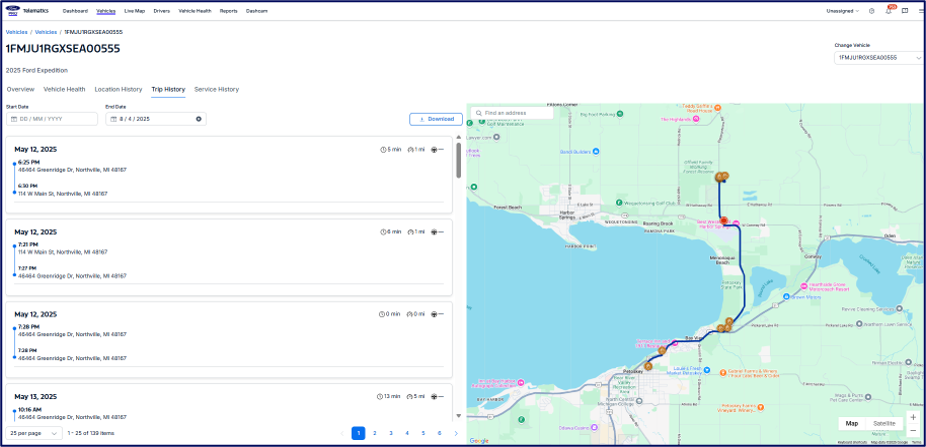
Dashcam Video: Video History Extended from 30 Days to 90 Days
Fleet managers can gain greater control and peace of mind with an important update to Ford Pro Telematics with Dashcam1283. We've increased video history retention from 30 days to 90 days. This extended timeframe ensures fleet managers have ample opportunity to review past events, enabling more in-depth incident investigations, precise driver coaching, and a clearer understanding of their fleet's performance for improved decision making.
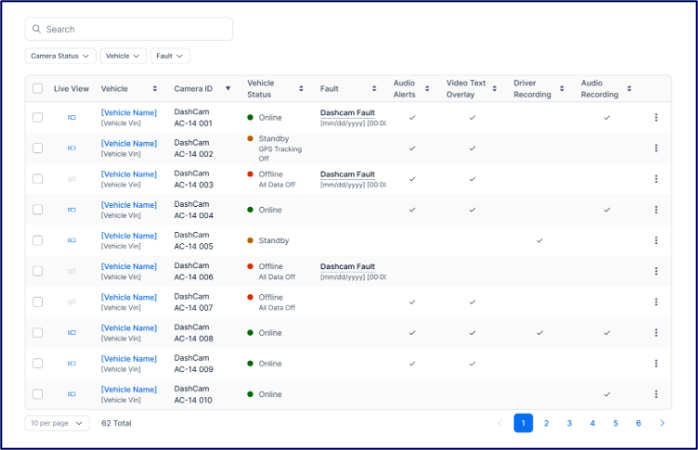
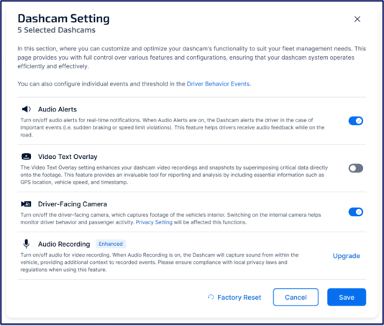
Dashcam: Real-Time Visibility & Enhanced Control
Another new update to Ford Pro Telematics with Dashcam is Live View and Customizable Settings – delivering powerful real-time insights and flexibility right at your fingertips.
This update delivers:
- Instant Live Access: Use Live View to see immediate road-facing and in-cabin video feeds that enable quick incident verification and proactive driver support.
- Tailored Control: Customize settings to configure in-cab audio alerts for risky behaviors. Also, manage sensitive recording functions, like in-cabin video and audio, to align with your privacy policies and driver preferences.
Notification: Geofence Entry/Exit For Vehicles
With the new Notification for Geofence Entry/Exit for Vehicles in Ford Pro Telematics Software, fleet managers can receive immediate notifications the moment their fleet vehicles enter or leave any geofenced areas they’ve set up. Fleet managers can even see these events seamlessly integrated into each fleet vehicle's location history for quick visual confirmation. This means fleet managers get near real-time operational awareness, enabling:
- Precise verification of arrivals and departures
- Effortless monitoring of route adherence
- Proactive response to any unauthorized movements
This enhancement provides critical, actionable insights that can reduce the need for manual checks and boost overall fleet management capabilities.
Reporting: Detailed Speeding Report
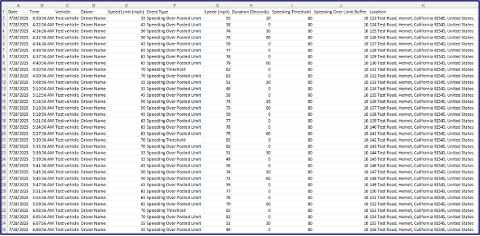
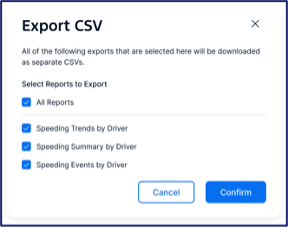
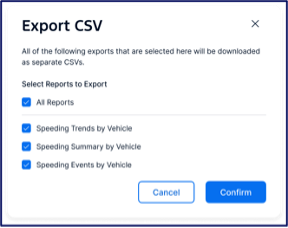
New to Ford Pro Telematics Software is Detailed Speeding Report, designed to provide fleet managers with precise and actionable data on speeding incidents. Moving beyond summary reports, this new individual speeding events report offers crucial context for both driver and vehicle views.
The Detailed Speeding Report enables fleet managers to understand exactly when, where, how fast, and for how long speeding incidents occurred. This granular detail enables targeted driver coaching, aids in incident investigation, and supports robust compliance/policy enforcement.
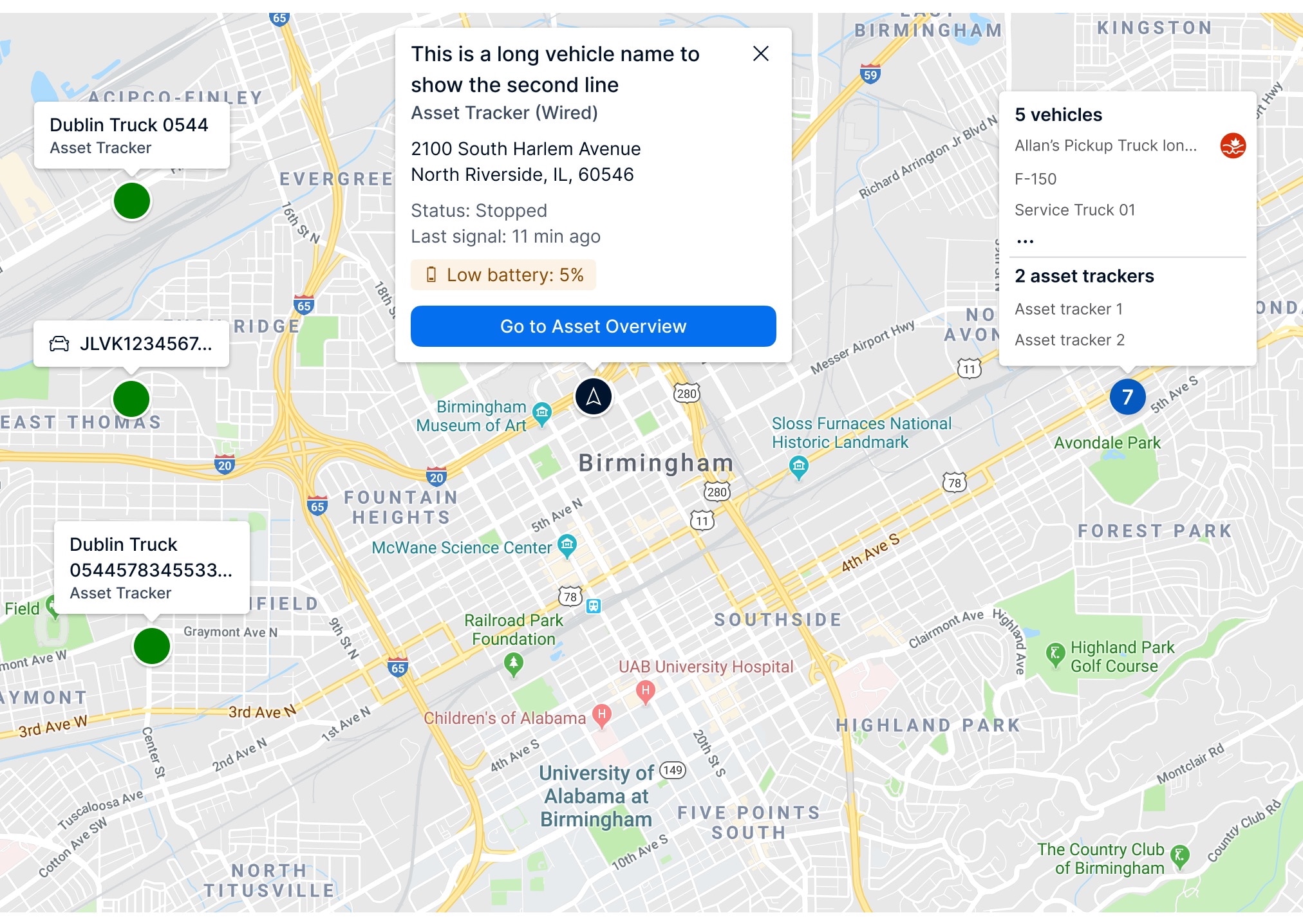
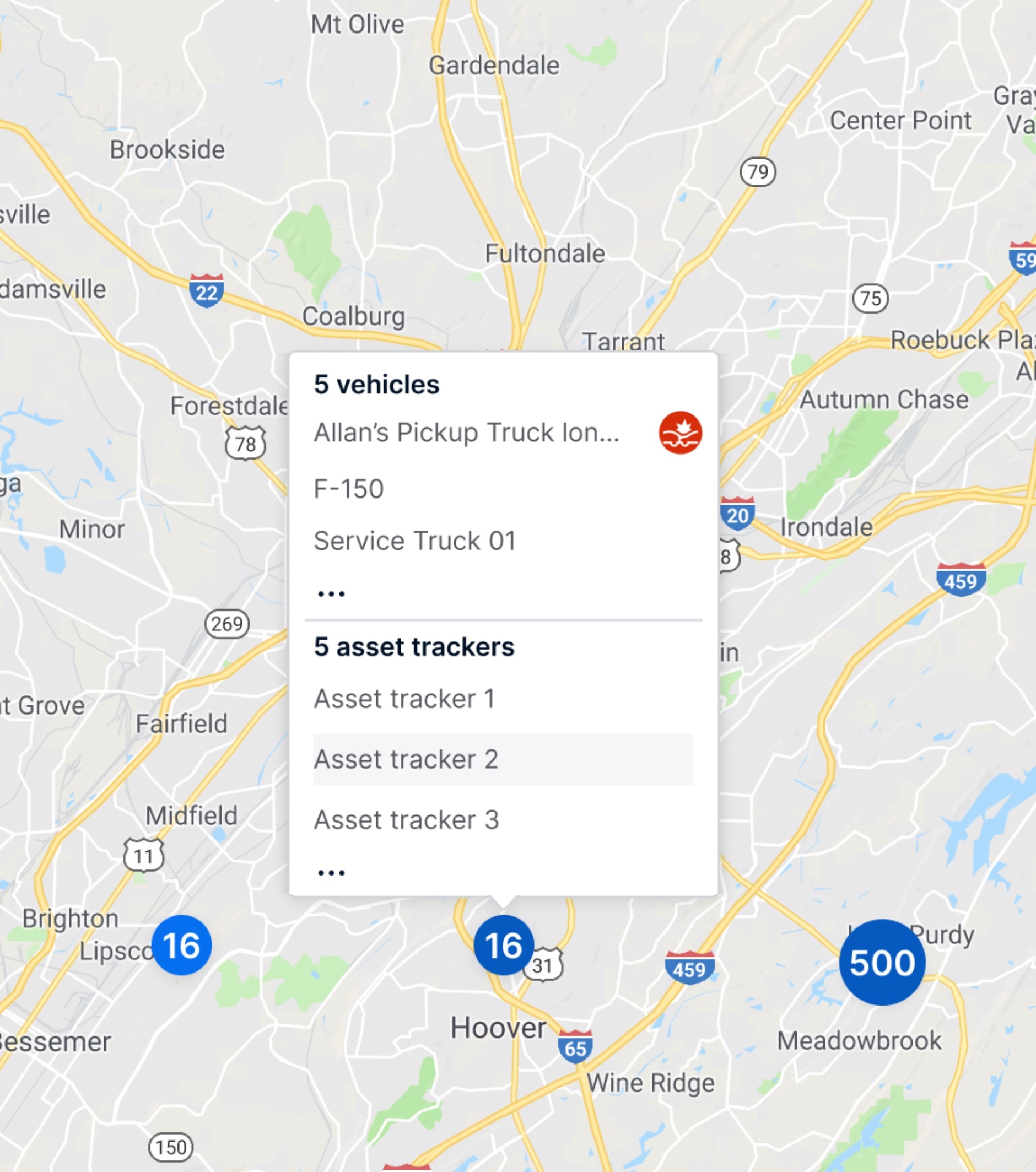
Map: Enhanced Navigation & Detail
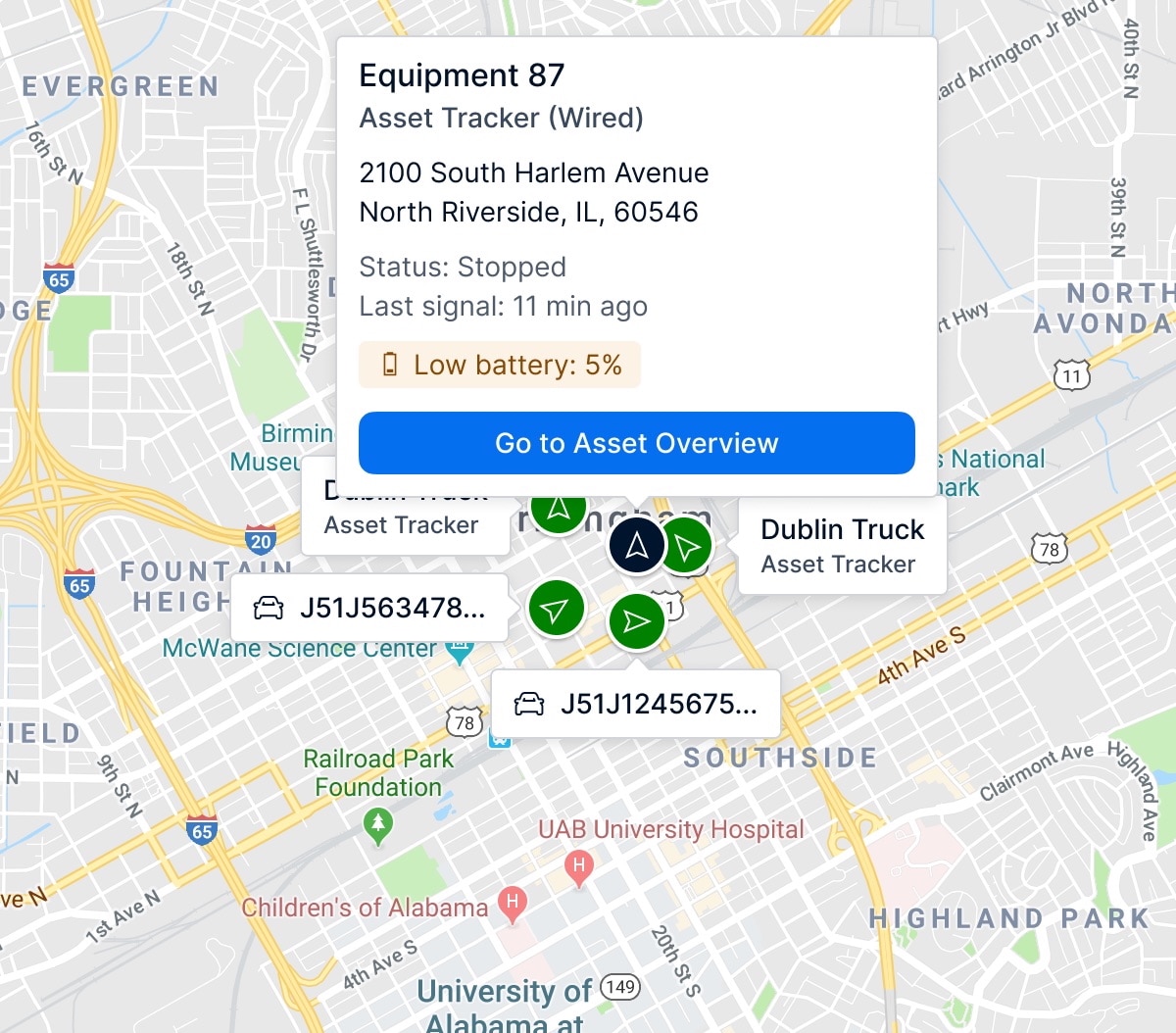
Fleet managers rely heavily on the map interface for real-time operational oversight, vehicle and asset tracking, and incident response. By adopting proven design patterns, including intelligent asset clustering, refined handling of overlapping pins, and informative tooltips and labels, the Navigation & Detail update aims to improve the usability, clarity, and performance of our map.
Pro App: New In-App Notifications for Fleet Managers
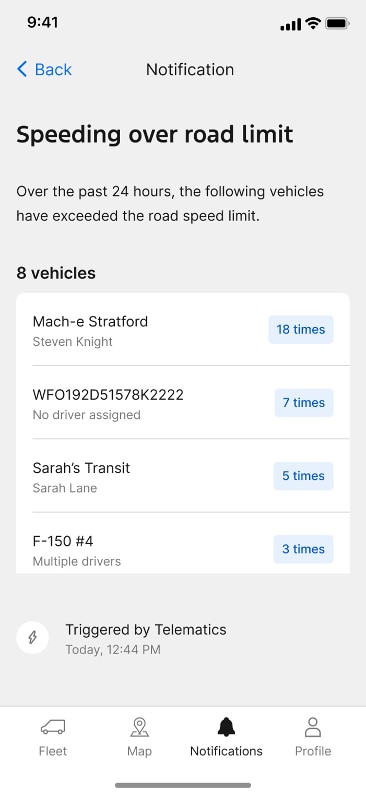
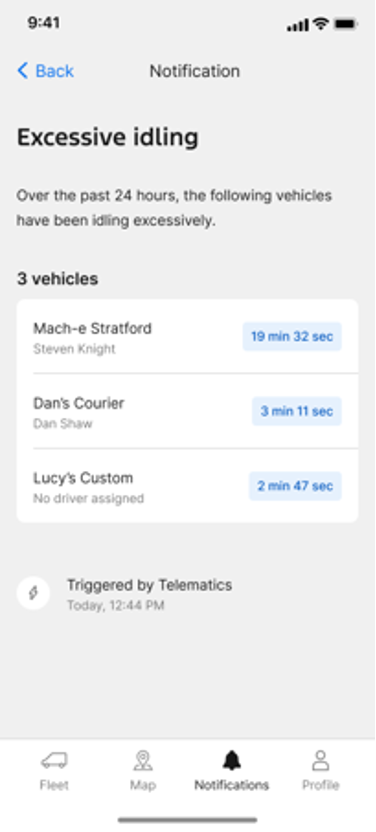
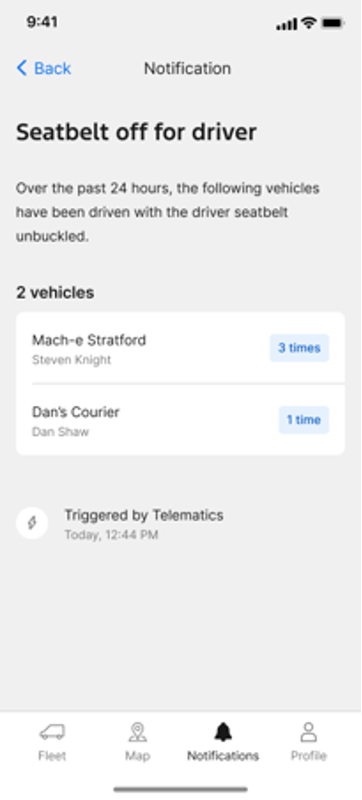
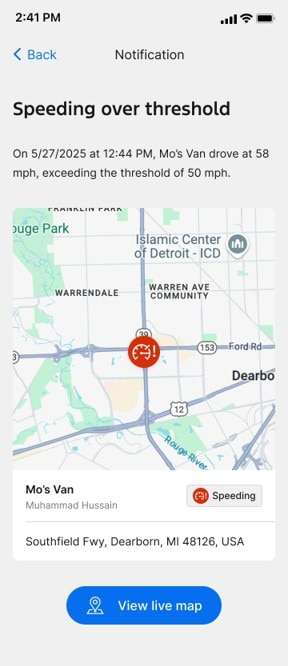
With the introduction of new in-app notifications, fleet managers can now gain enhanced visibility into critical driving behaviors within the Ford Pro Telematics Drive App992. This update expands the app's capabilities by adding four important notifications previously exclusive to the Ford Pro Telematics Software web experience, including:
- Speeding over the road limit
- Speeding over threshold
- Excessive idling
- Seatbelt violation
This update increases consistency across platforms. Fleet managers can monitor speeding, idling, and seatbelt events, and get a comprehensive snapshot of all related occurrences – including the drivers and vehicles involved – over the last 24 hours. This feature is launching for both iOS and Android devices, across all markets supported by Ford Pro Telematics Drive App.
With these updates, Ford Pro gives fleet managers the tools they need to help streamline operations and stay ahead of the road ahead.
Disclosure(s)
- 1)
Available on vehicles with embedded modem or equipped with approved plug-in device (PID). May require modem activation. Ford Pro™ Telematics and Ford Pro™ Data Services require a purchased subscription. Terms and conditions apply. Telematics service and features, and access to vehicle data, depend on subscription and compatible cellular network availability. Evolving technology/cellular networks/vehicle capability may limit functionality and prevent operation of connected features.
- 2)
Ford Pro™ Telematics Drive app, compatible with select smartphone platforms, is available via a download. Message and data rates may apply. Connected Services and features depend on compatible cellular network availability. Evolving technology/cellular networks may limit the functionality and use of app.
- 3)
Ford Pro™ Telematics/E-Telematics: Available on vehicles with embedded modem or equipped with approved Plug-In Device (PID). May require modem activation. Ford Pro™ Telematics, Ford Pro™ Data Services and Ford Pro™ Telematics with Dashcam each require a purchased and/or additional subscription. Terms and Conditions apply. Telematics service and features, and access to vehicle data, depend on subscription and compatible cellular network availability. Evolving technology/cellular networks/vehicle capability may limit functionality and prevent operation of connected features. For E-Telematics, eligible vehicles (2022 and 2023MY) receive a complimentary 3-year trial of E-Telematics services, and eligible vehicles (2024, 2025 and 2026MY) receive a 1-year trial that begins on the New Vehicle Warranty start date. Annual service contract is required for E-Telematics service after trial.
Call 1 (833) 811-3673 or go to fordpro.com to activate E-Telematics service.